Major Research Project
Calan Davidson – portfolio of work
word count: 2140
Introduction
This project is the continuation of the Major research project that focuses on the practical work. The aim of this project was to create a puzzle game with multiple difficulty levels, as the research question was whether difficulty balancing affects engagement in puzzle games. The goal was to create 3 difficulties, easy, medium, and hard, with the game being made inside of Unreal Engine 5 to code the game to work with blueprints/nodes. The puzzle is a simple game where the premise is that the player must find the cube and put it on a pressure plate to open the door and as the difficulties go by each cube gets harder to find. This project allowed me to experiment with blueprints and coding, broadening my skill set beyond just 3D modelling.
Applications used
The applications used for this project include, Canva, which was used for the creation of the digital sketches, then 3ds max, which was used to create the assets from pre production and production. After that, substance painter was used to texture each of the assets, Then everything was imported using Unreal Engine 5 along with making the code for the game. For this project I decided to use Unreal Engine 5 over Unity for the making of the puzzle game due to having more experience in Unreal engine as well as being a more powerful engine and also suited my puzzle game more.
Time management
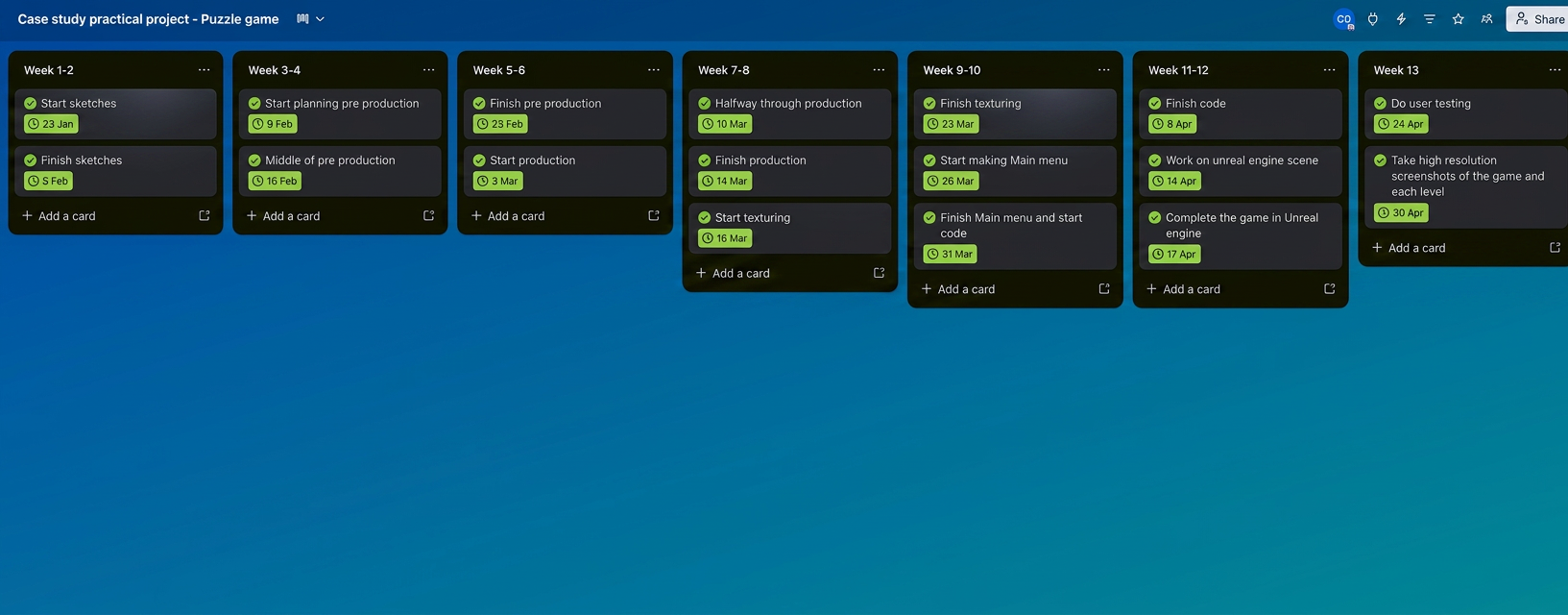
For the time management for the project, Trello boards were used to make sure goals were hit in time and to aid in the success of the project. Each goal that had been set was met, and the Trello board was very important not only in tracking time/deadlines but also for documenting progress. The Trello board was a very important factor to the success of the project and shows just how important time management is.
Research
The research for this project was to find out what kind of puzzle mechanic should be done. There were many different puzzle games that had good mechanics that could be used as inspiration, but one of the biggest inspirations was portal. Portal is a very famous puzzle game with a majority of different puzzle mechanics, the ones that I decided to take inspiration from would be: pressure plates and weighted cubes, as they would be the foundation of my puzzle game. I also went into research on how games like portal use doors, triggers and level design to guide the player throughout the game.
Sketches
The first stage of the project was the sketching stage. This was to help map out each puzzle room and where everything will be placed/layout.
Main hub
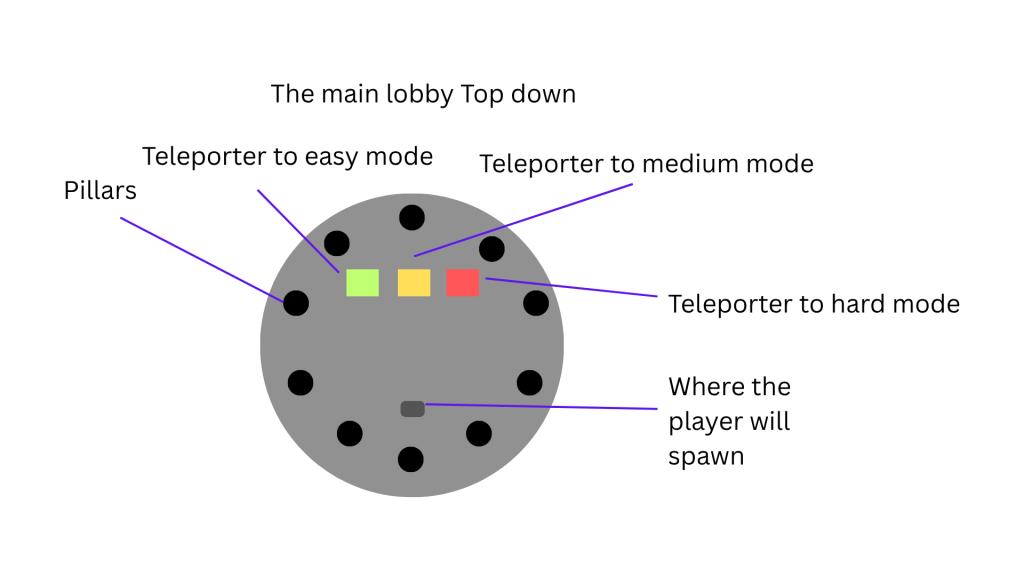
The first sketch was of the main lobby that the player would first be put into. The area would act as the main hub where the player can choose what difficulty they wish to teleport to.
Easy mode
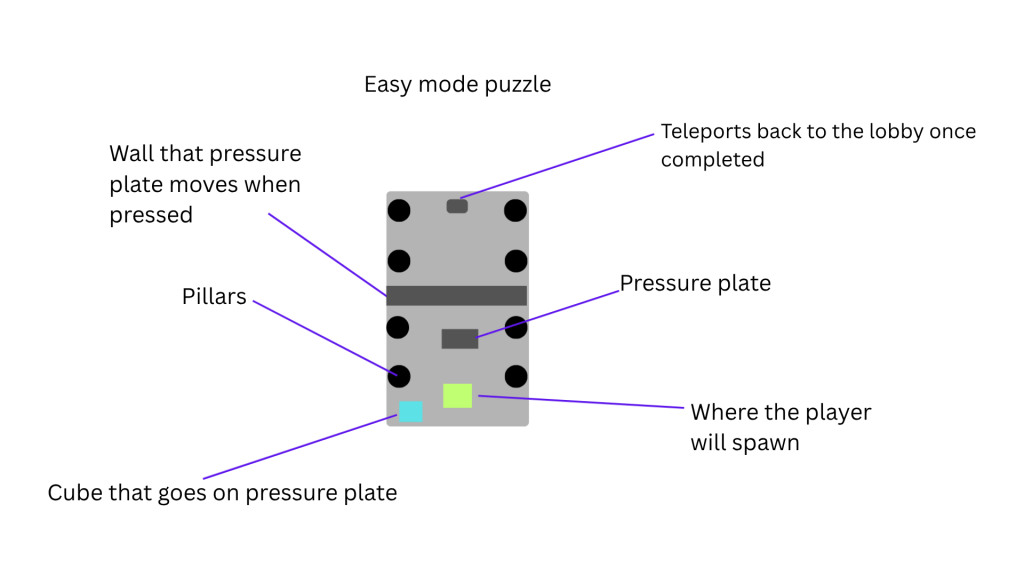
The next sketch was of easy mode which consisted of a top down. Since easy mode is more of a tutorial so that the player can understand the goals of the game, the layout for this difficulty would be more simple to complete. At the end of the room, the player will be able to teleport back to the hub once the puzzle is complete, this mechanic would be for all the difficulties.
Medium mode
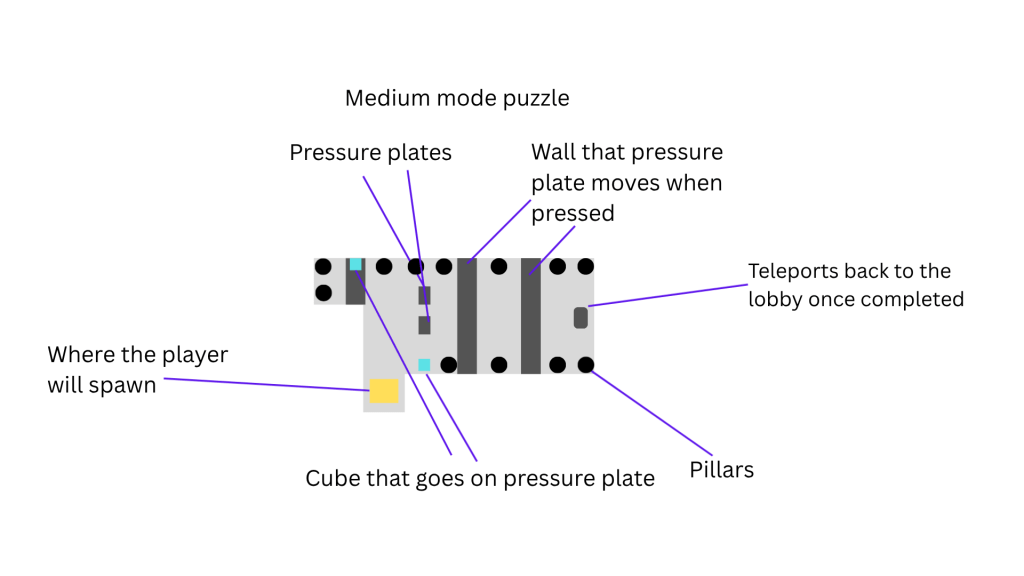
This is the top down for medium mode. Medium mode would test the player more and would make the player have to use the gun from the main hub to complete the stage. This room was designed to be much more difficult than the first and consists of 2 cubes that the player must find with one needing to be shot down with the gun.
Hard mode
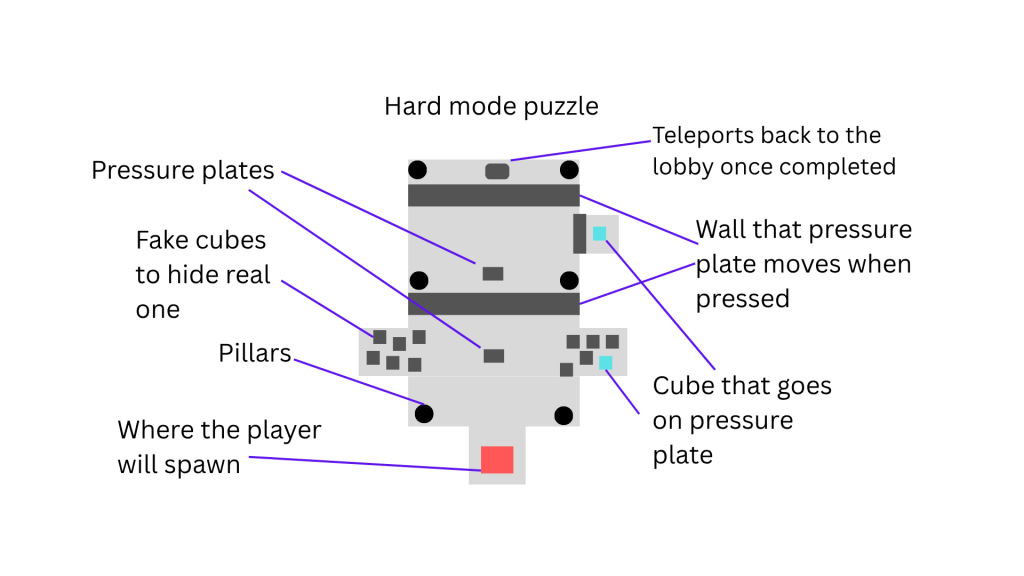
The final sketch was the hard mode room, which also consisted of a top down. This puzzle room was designed to be the hardest and to test the player and see if the difficulty would affect their engagement by being unfair. The puzzle would consist of 2 cubes which the player must find similar to medium difficulty. In the first room, the player must find the correct cube in front of many that don’t work to open the door, and the second cube will be found by going through a hidden door in the room to complete the puzzle.
Pre production
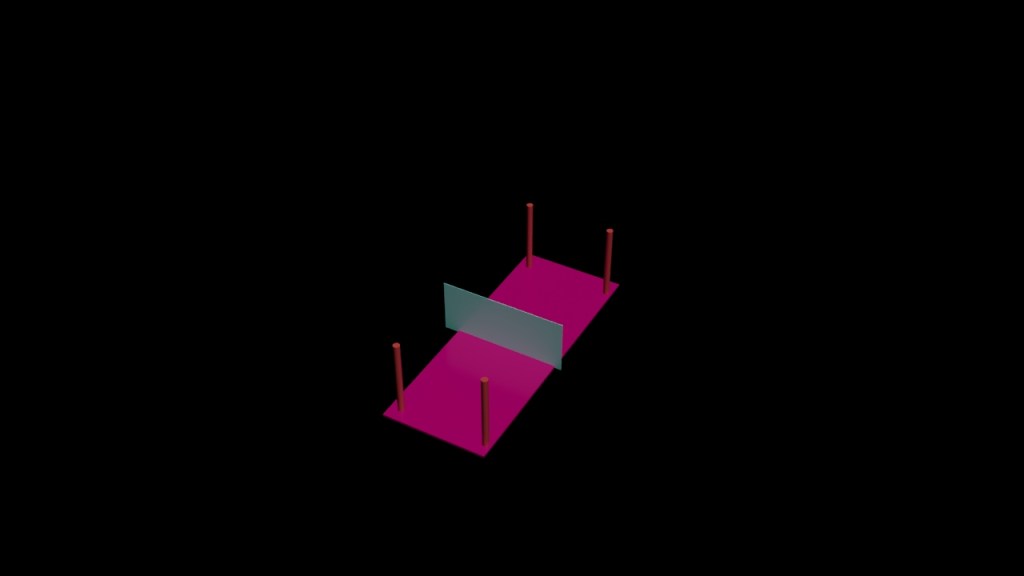
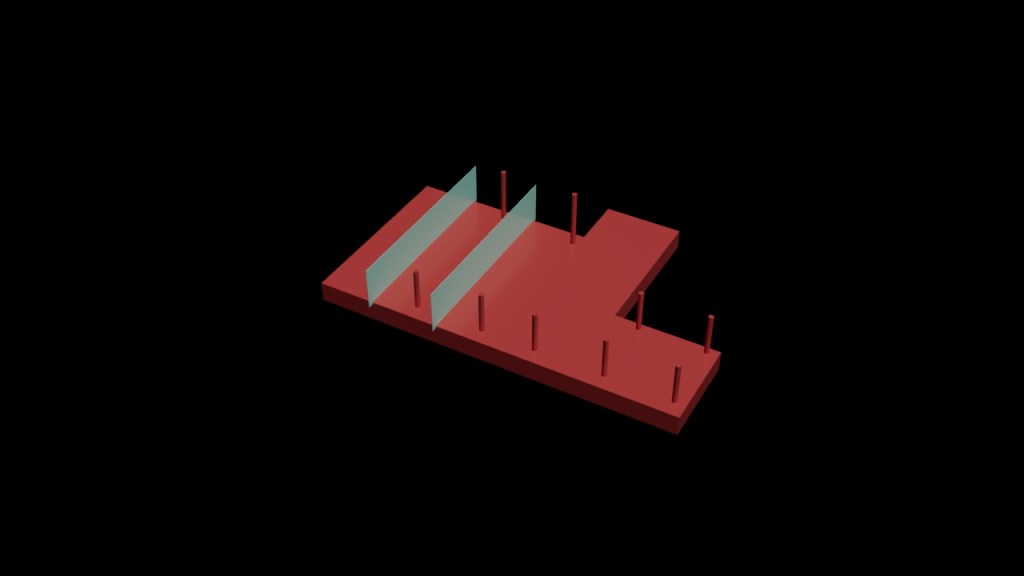
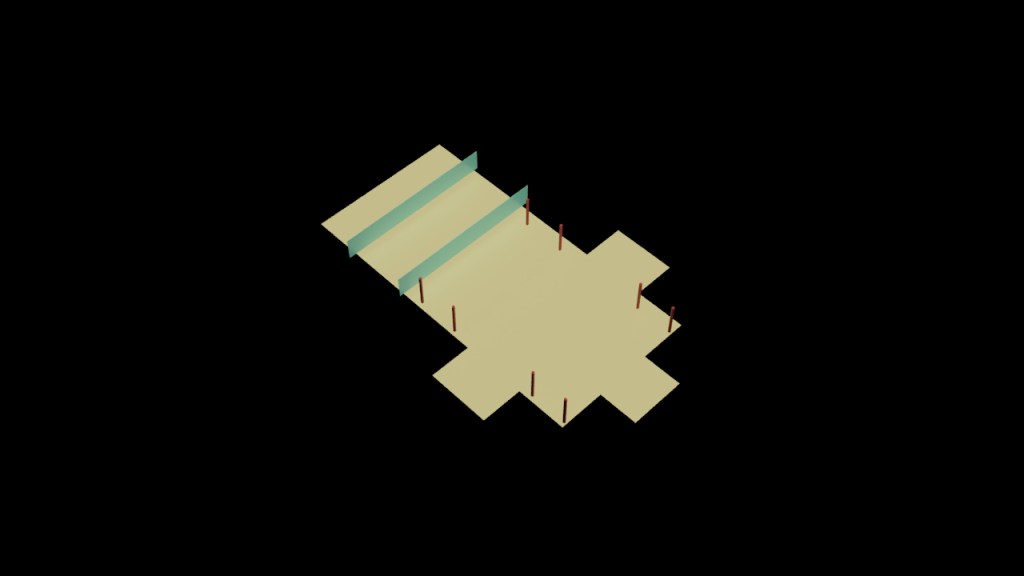
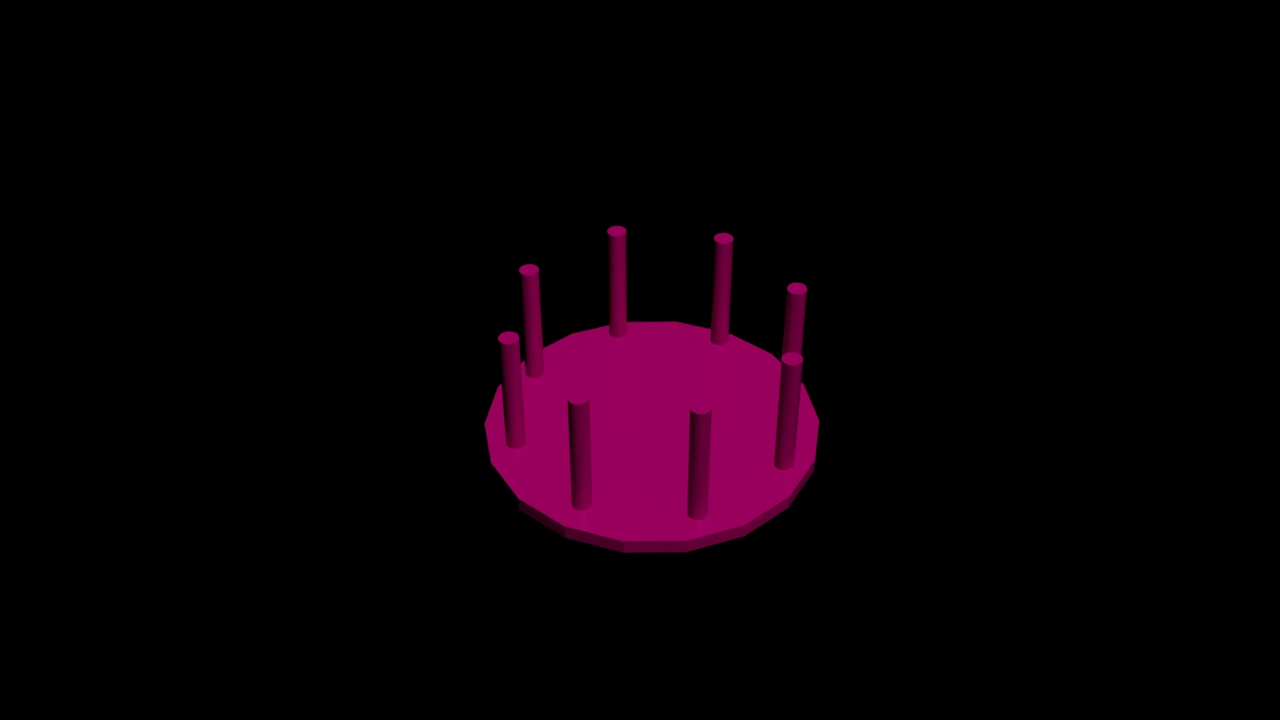
The pre production was relatively simple as the layout of the puzzle rooms had been mapped in the sketches. Although the puzzle rooms could have been created in Unreal engine, I decided to use 3ds Max as the models would be in greater quality with more detail, and I would also be able to add my own textures to it in substance painter. For the shape of each room, I decided to keep the shapes used in the sketches to not overcomplicate it and the only room that was concerning was the main hub of the game, as the middle felt empty and needed a centre piece.
Production
Once everything had been mapped out in pre production, the next stage was to create the assets that will be used for the final game while making some adjustments.
Main lobby
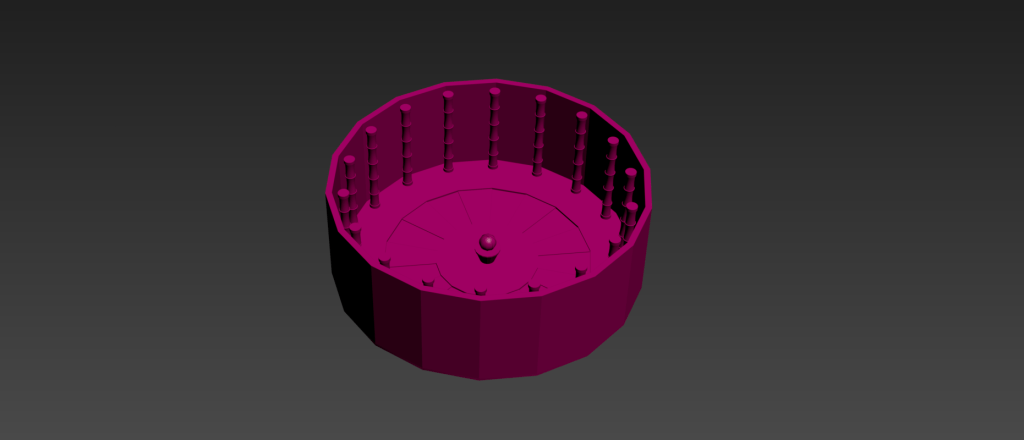
The main lobby was the first asset that was made in 3ds max. The base of the asset was made using a cylinder, then adding bevels and extrusion to cut out more detail going towards the centre. Next, I added some pillars which were also made using a cylinder and then using the twist modify to made a spiral effect from it to add detail to the pillars. Then, using the array tool to evenly space the pillars around the lobby in a cylindrical shape. Finally, extruding the outskirts of the base floor for the walls and no ceiling was added to any of the rooms as that would be done in Unreal Engine 5.
Easy mode puzzle room
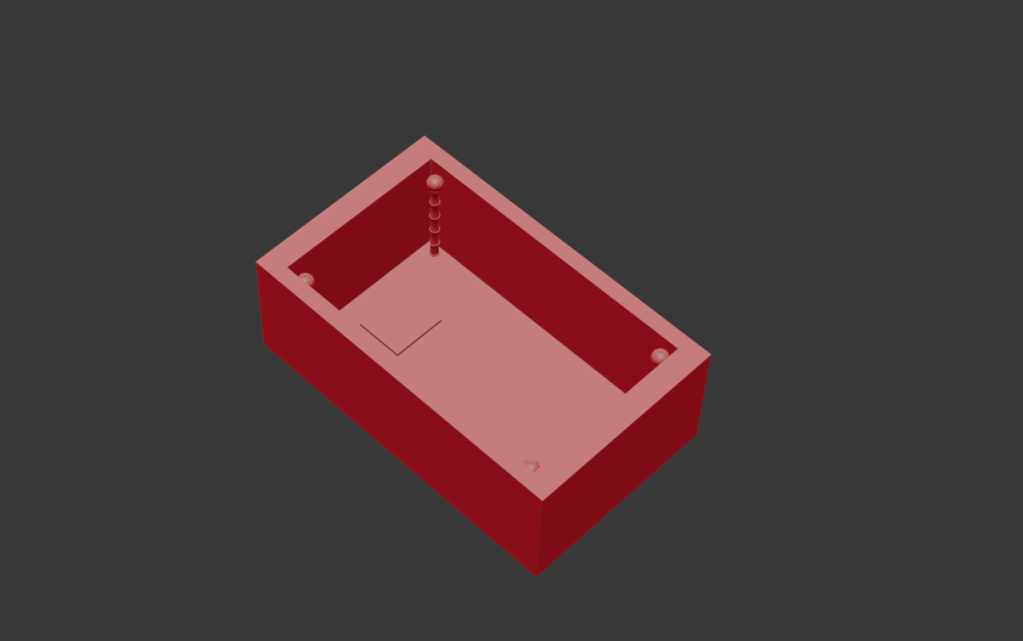
The next model was the easy mode puzzle room which was relatively straight forward. A rectangle was used for the base, then pillars that was used in the lobby were spread throughout the room, and then a cube for where the player will be teleported to from the lobby.
Medium mode puzzle room
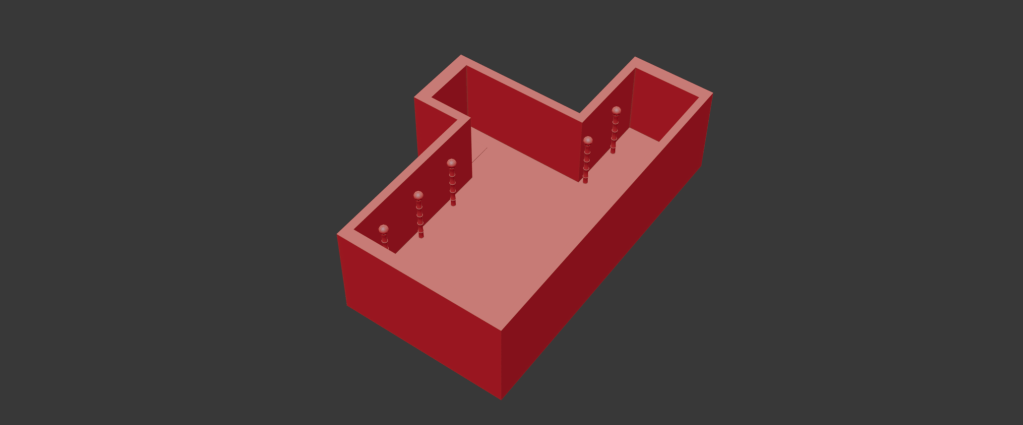
For the medium puzzle room, the shape would be different from the easy mode. Swift loops and extrusions were made to create the shape of the puzzle room, then the pillars were added to the model. The puzzle for this room would be made using blocks in unreal engine 5 due to collisions being untrustworthy.
Hard mode puzzle room
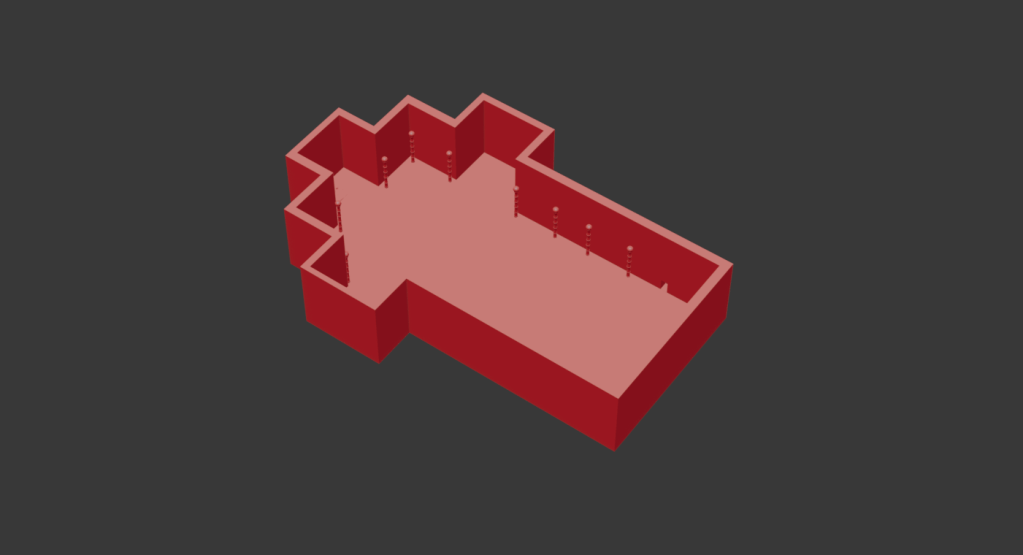
Finally was the hard mode puzzle room. Like the medium puzzle room, swift loops and extrusions were made for the shape of the base, with pillars being added around the outskirts. Since the puzzle for this room includes a wall you can walk through, a Boolean was added to cut a shape out of the wall, which would later be hidden behind a wall with the same material but with no collisions.
Textures
Once all the assets on the production stage were complete, the next step was texturing them.
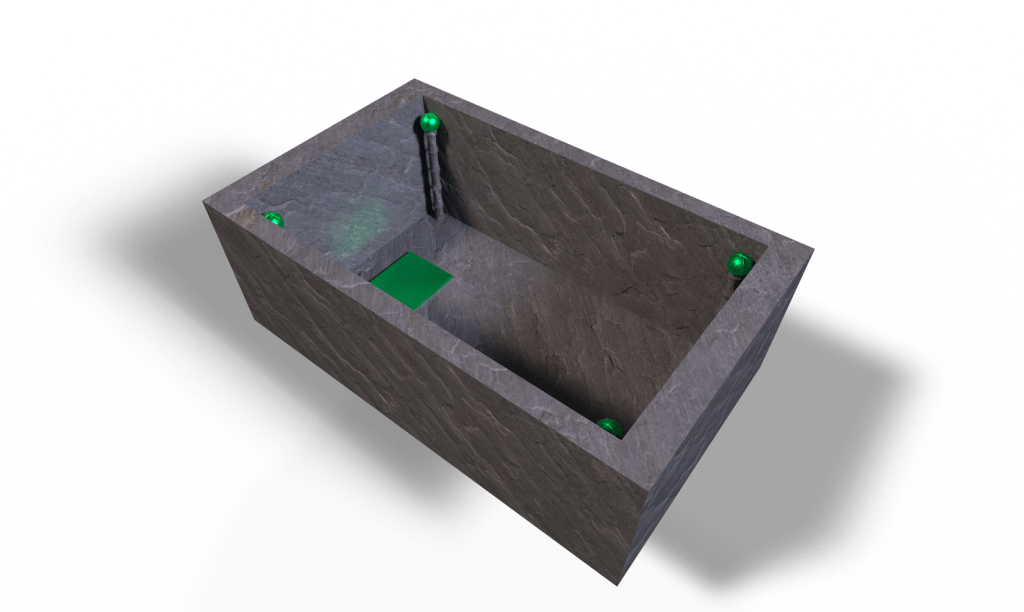
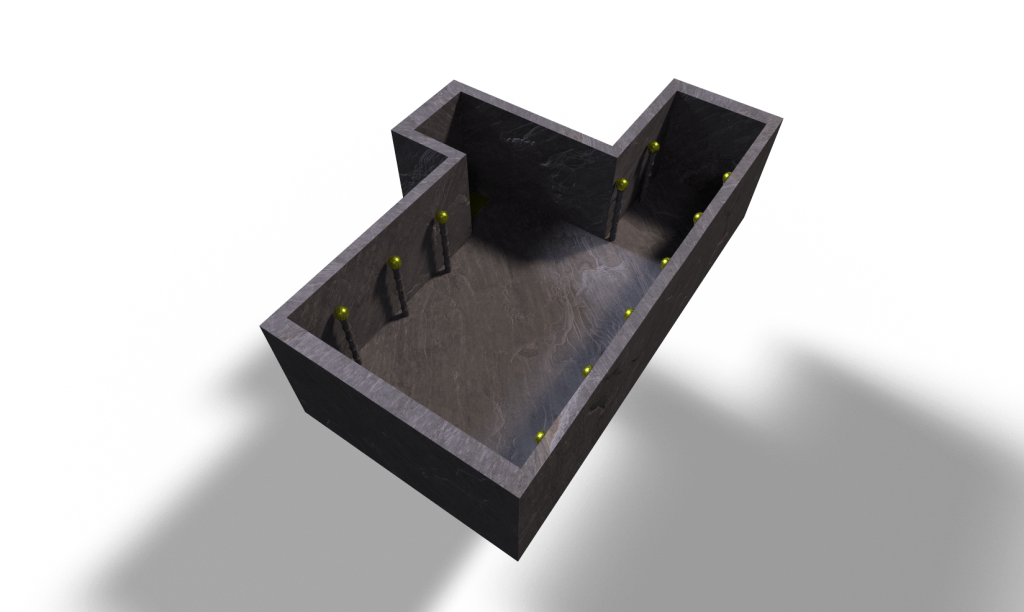
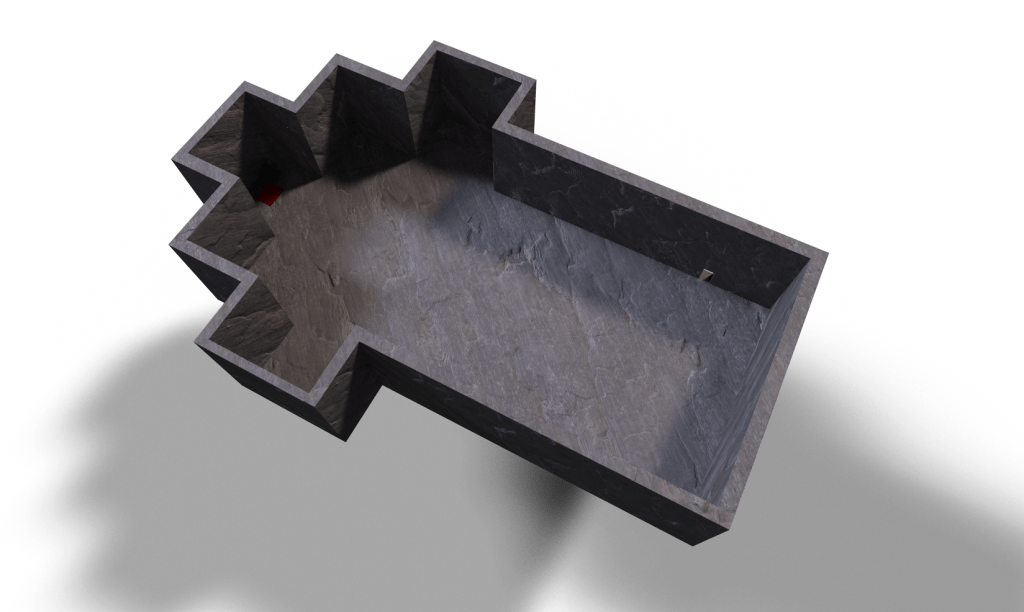
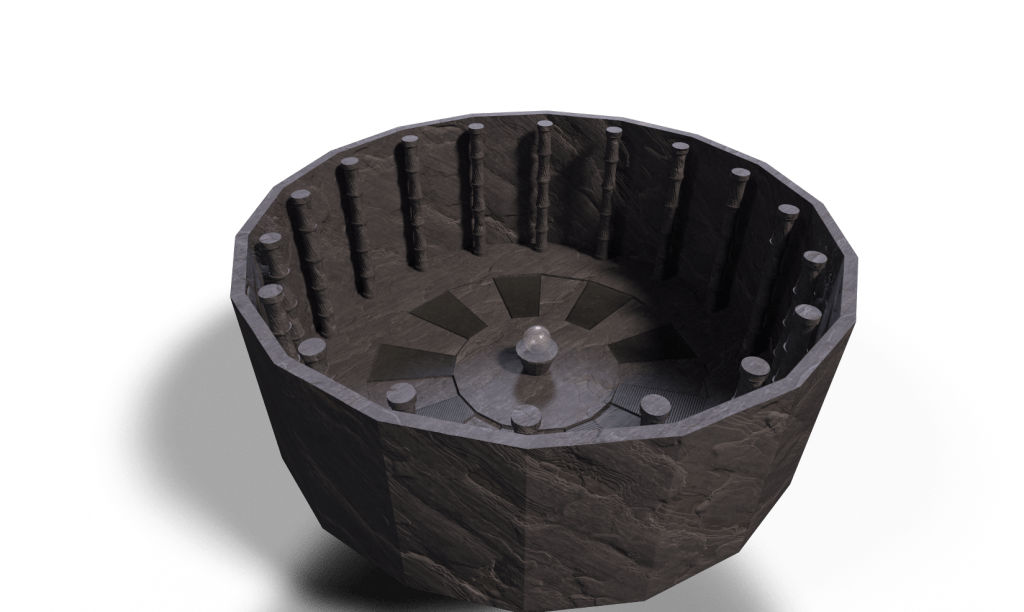
The textures for the assets were made in Substance Painter, Each room shared mostly the same material when it came to the pillars and the room itself, being made from a stone slate smart material. Since each room was colour coded, the top of the pillars from each room was a different colour of metallic material. For the main lobby sphere centre piece, an opaque material was used to act as glass, which unfortunately caused it to be invisible in Unreal engine and was replace with the gun instead. Another issue that I came across when texturing was that the pillars wouldn’t texture properly, resulting in the pillars being added separately in unreal engine.
User interface/main menu
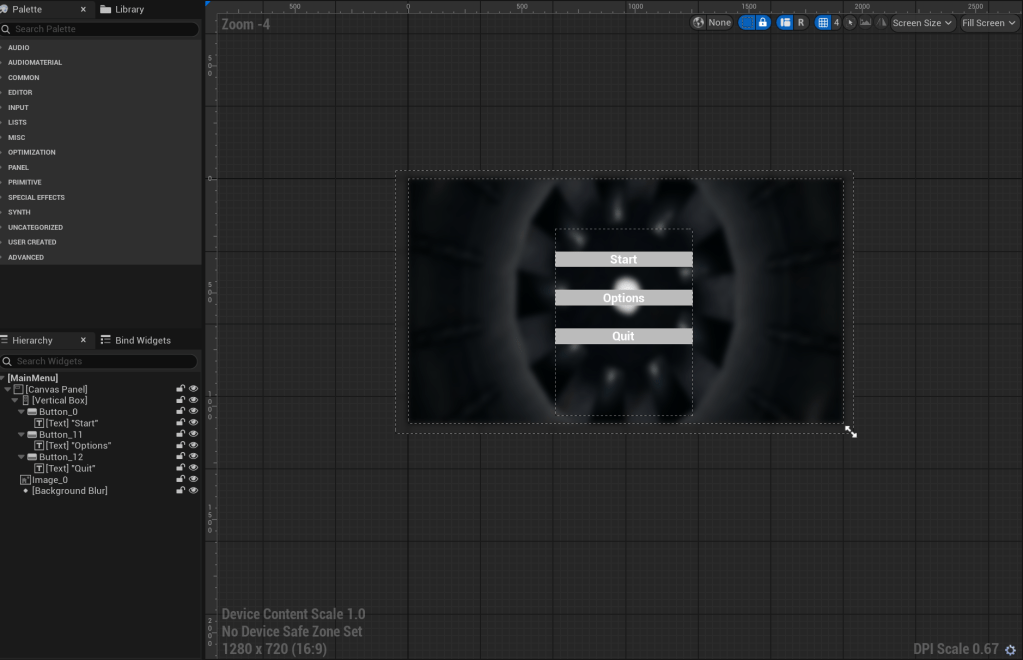
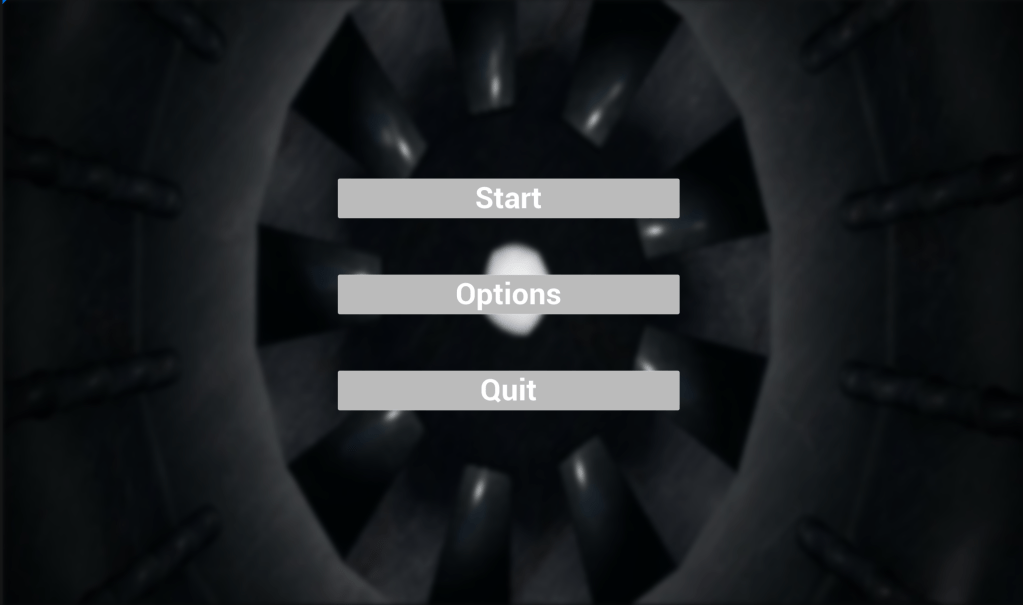
Once Everything in the production phase was complete, the next step was to set up Unreal Engine 5. The first part to make in unreal engine 5 would be a main menu/pause menu that the player would load into before they start the game, as well as a way to restart if they ever get stuck. The UI is made in a separate level and is made using nodes from the widget blueprint. When the player presses start, they load into the main hub area, and to open the main menu again, it is hot keyed to P, which can also be used to restart, as start takes the player back to the main lobby.
Code
Once all the assets were imported in unreal engine 5, the next step was adding the puzzle mechanic code as well as the teleportation code. I decided to keep the code simple due to no prior experience with coding and using blueprints in unreal engine while making sure that the project still meets the requirements to be considered a puzzle game.
Teleportation code
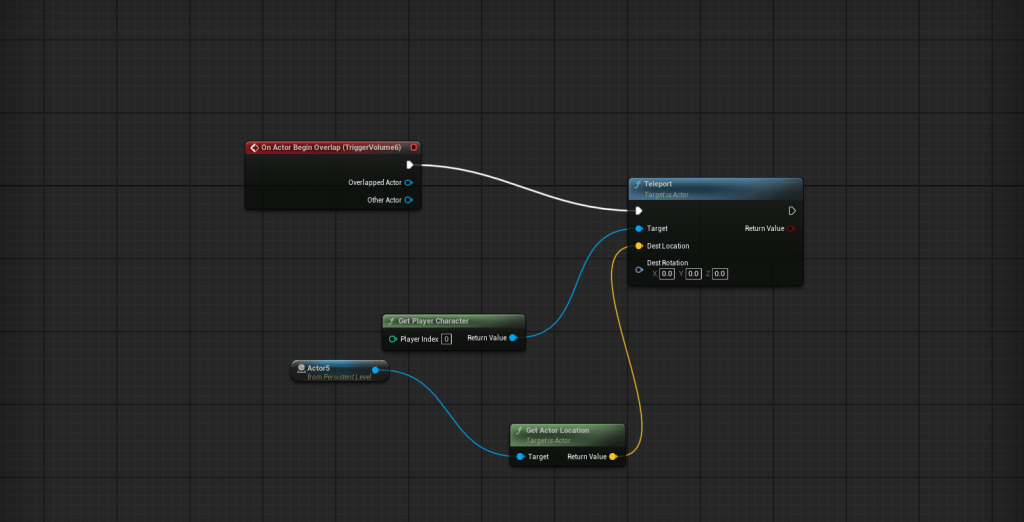
First was the teleportation code, which, when the player, is on the platform, they can teleport to the level they want. To do this, I used a trigger volume which acted as the invisible box that when the player goes into, it then teleports them. The code was relatively simple for the teleportation as it didn’t require many nodes to do as what’s needed is the trigger volume, the teleporter node, and the teleportation location. For the destination of where the player would be teleported, an actor would be used as wherever the actor is placed is where the player would be teleported to, as the node get the location from where the actor is.
Puzzle door code
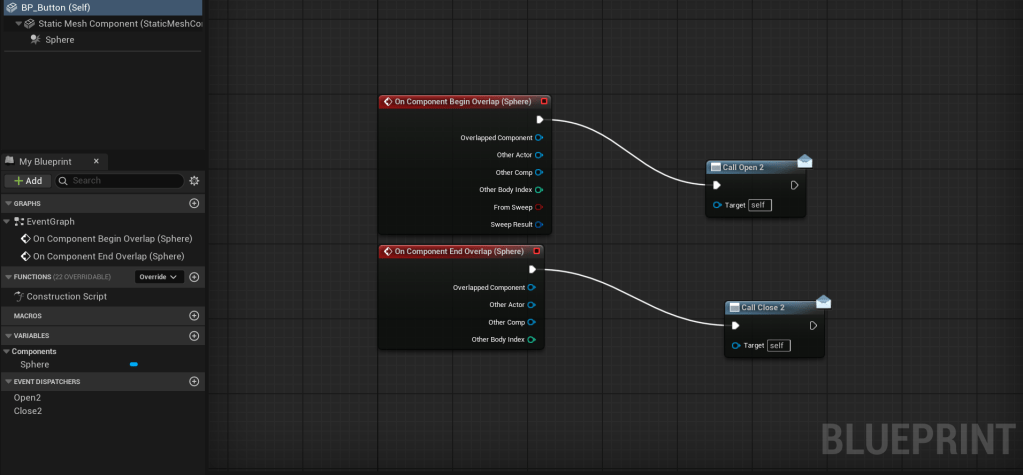
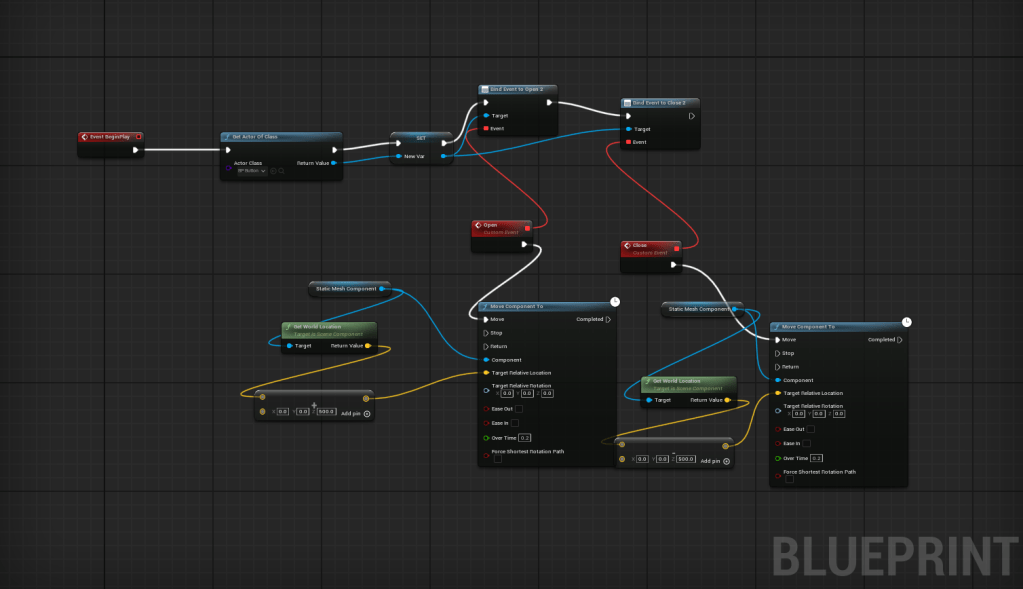
For the puzzle door code, 2 parts were required, the button that activates the door and the door itself. For the button that the player would use to open the door, a sphere collision was used around the pressure plate, which would act as the hitbox. The door code consisted of an event to open the door and an event to close the door, when the button is interacted with, the position of the door is moved and can be controlled to move in whatever direction is needed and by how much.
Final game
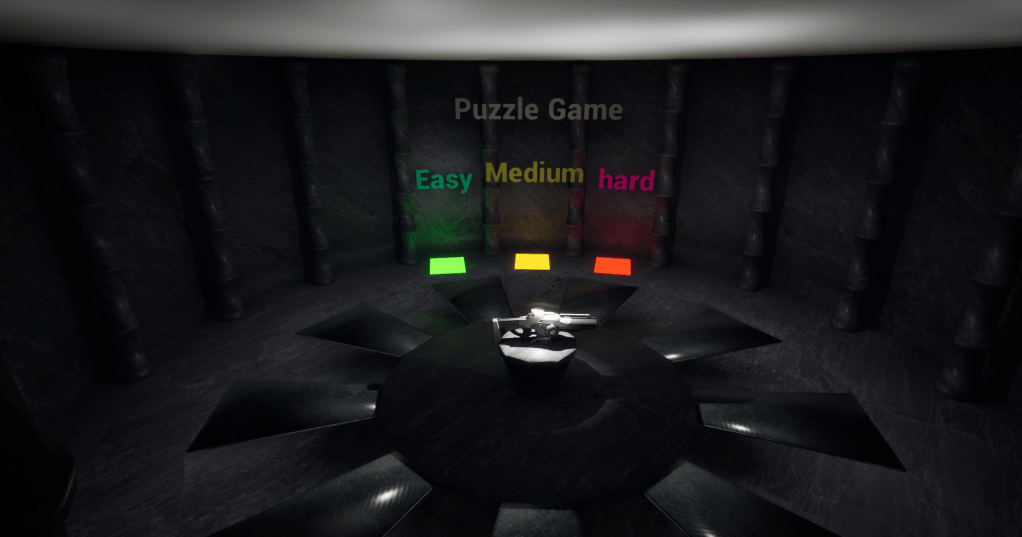
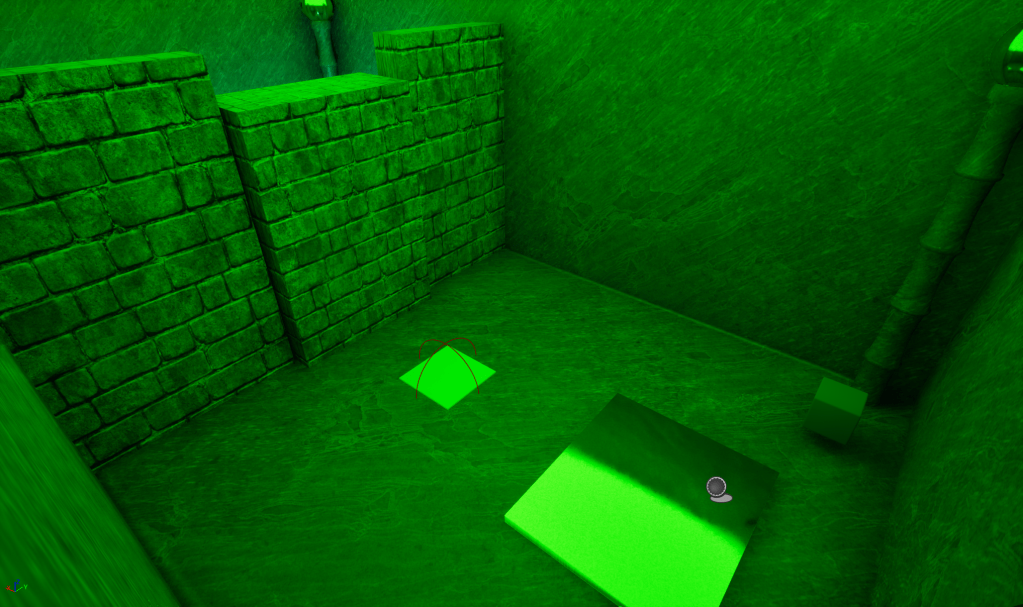
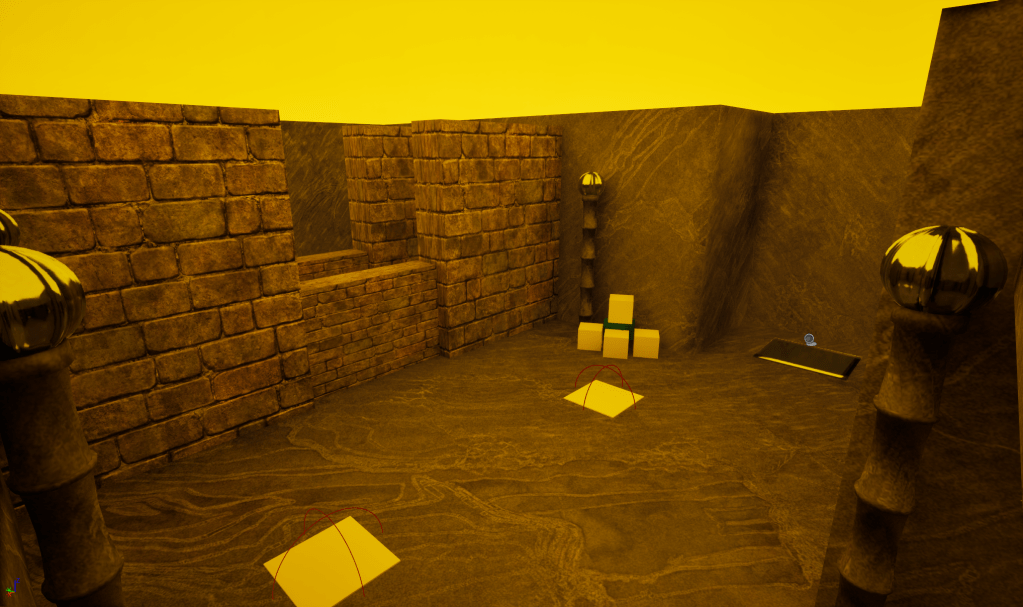
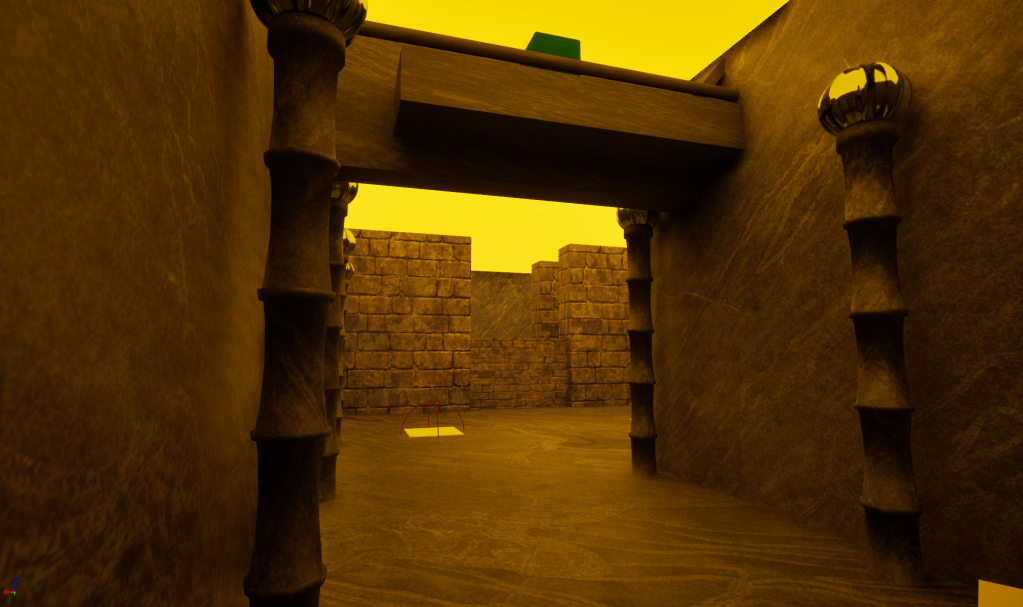
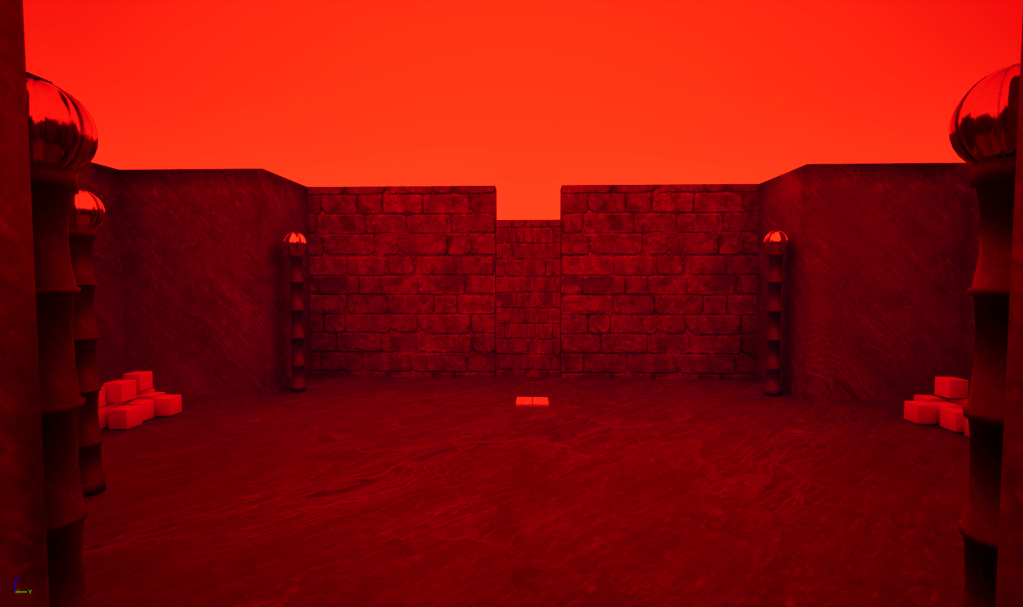
These are the screenshots of the final game that was made. Emissive materials were used as colour coding to indicate to the player what difficulty they are currently in and were added to the ceiling of each level as well as the teleportation pads that are in the lobby. The gun for the game came with Unreal engine 5 first person mode with it being able to shoot and move the cubes when collisions and gravity is added to them.
User testing feedback
Once the game had been completed, the next step was to get some user testing for feedback to help improve the game. This section of the project was very important to make sure that the game is fully playable and that there are not any mistakes that could impact player experience negatively.
The goal of the game
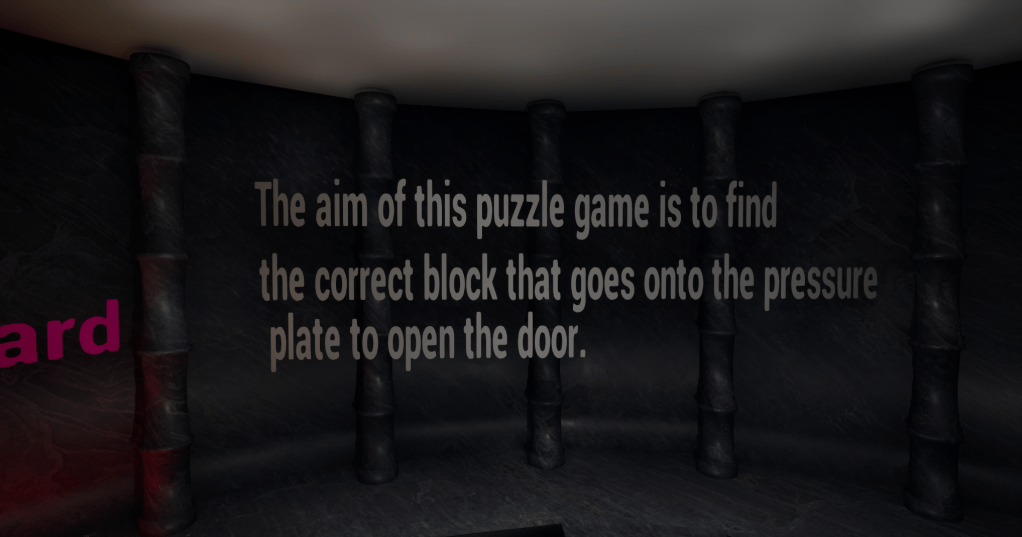
The first part of feedback that I received from user testing was that when the user went into the game, the goal/aim of what to do was unclear, as there was no introduction or explanation of what the player is supposed to do. To fix this, I put instructions in the main lobby to explain the goals of the game and what the player is supposed to do. This made sure that the goal of the game is clear and that there isn’t any misunderstanding of what they need to do.
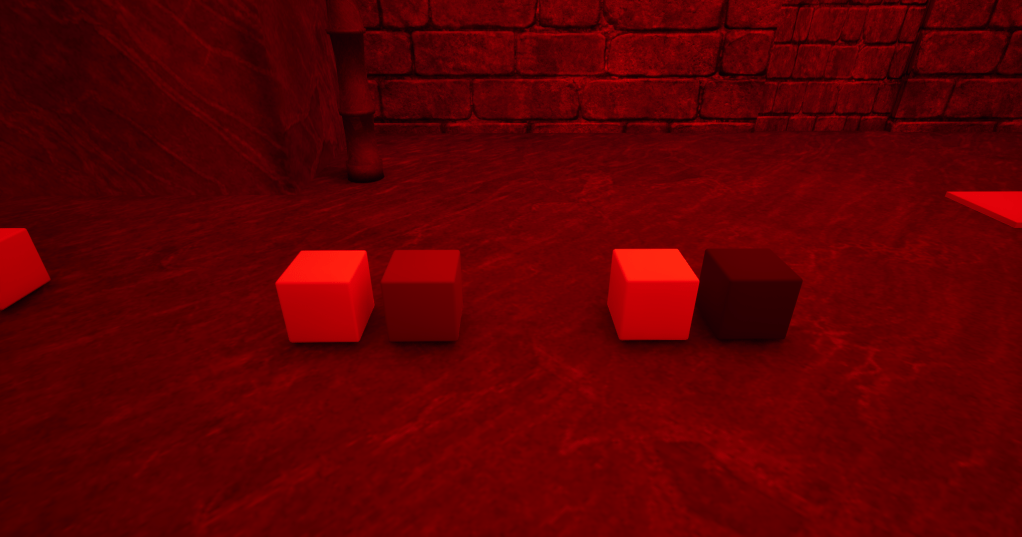
The second part of the feedback that I got was from the first section of the hard puzzle. The puzzle with the cubes is where the player is supposed to find the correct cube through the colour being different. The change in colour from the cube was almost unnoticeable due to the lighting of the area and made the section harder than intended. To correct this, I changed the colour of the cube to be more noticeable.
Overall, through the user testing, I found that the more it got difficult the more disinterested they became with the hard stage not being completed. I also gained a lot of useful feedback to help improve on mistakes that were made throughout the creation of the game and showed the importance of user testing.
Conclusion
In conclusion, this project was a great experience to improve on coding with blueprints and nodes in Unreal engine 5 and helped in testing my skills while also being able to learn new ones. Through this project, I got to learn more on how to utilise unreal engine to its full capabilities with tools I hadn’t used before. I also learnt the importance of user testing, as there are many improvements that might have gone unnoticed and for useful feedback that could assist in future projects. Overall, through learning new skills, I was able to improve my own and gain a new perspective on game design throughout the process of this project, and that difficulty balancing does affect player engagement.
Handover files: https://drive.google.com/drive/folders/1igkw1TniGrvIwnoIm70ijnwPBLjBKoMk?usp=sharing
Refrences
Tutorials
EZ Unreal (2024). EASY Way To Create A Teleporter in Unreal Engine 5 (UE5 Tutorial). [online] YouTube. Available at: https://www.youtube.com/watch?v=vUlPJn8Jj8Y.
www.youtube.com. (n.d.). How to Make a Simple Pause Menu in Unreal Engine 5 – Beginner Tutorial. [online] Available at: https://www.youtube.com/watch?v=Yr8beK9FMe0.
www.youtube.com. (n.d.). How To Render High Resolution Image In Unreal Engine 5 THE FASTEST WAY! [online] Available at: https://www.youtube.com/watch?v=Sgq3hamQlaE.
www.youtube.com. (n.d.). How to Make a Simple Main Menu in Unreal Engine 5 – in 5 Mins! [online] Available at: https://www.youtube.com/watch?v=zWI-36fIoDQ.
Inspiration and Research
Silverman, D. (2013). Portal 2 Level Design: Creating Puzzles to Challenge Your Players. [online] Code Envato Tuts+. Available at: https://code.tutsplus.com/portal-2-level-design-creating-puzzles-to-challenge-your-players–gamedev-4828t.
Machinations.io. (2023). machinations.io. [online] Available at: https://machinations.io/articles/how-to-design-a-puzzle-game.
99floorsgame.com. (2026). Available at: https://99floorsgame.com/puzzle-game-mechanics-designing-engaging-challenges-for-players/.
WordPress. (2025). Puzzle Game Mechanics: Analyzing Difficulty Levels Across Genres. [online] Available at: https://theraidarcade.com/puzzle-game-mechanics-comparing-puzzle-difficulty-levels-across-genres/.

